
Regatta pro & start timer1.20 - Google Play
You'll be able to see results in few seconds.
Publisher Description
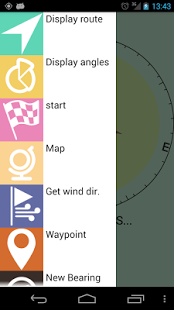
Regatta Tactic Compass displays the relevant information that helps you to optimize the sailing route to the target waypoint.
The new release adds many features for optimal approaching to the start line.
A minimum display resolution 400*240 is required.
The following information are provided in a glance.
1) When navigating to the next waypoint (see figure 1):
- target waypoint bearing (orange point)
- target waypoint air distance (orange number on top right)
- real boat speed (red number on top right)
- real wind direction (blue arrow)
- layline position (green line)
- distance to layline (red number on top left)
- distance along layline (green number)
- total distance to target waypoint (red number on bottom= distance to layline + distance along layline)
- effective speed to target (red number on bottom)
- polar diagram of effective speed
2) When approaching the start line (see figure 2):
-start line position as bearing of right and left ends (green arc and red and green points)
-boat route and its intersection with start line (red dotted line)
-distance to the nearest point of start line (orange number on top left)
-distance to the start line along current route (green number on the top left)
-time to start line with current route and speed (green number on the bottom center)
-time to the nearest point of start line with current speed (orange number on the bottom center)
-count down timer (blue number on the bottom center)
All you have to do is to insert the waypoint position and wind direction then Regatta will display the route to target with layline and polar diagram of effective boat speed.
The polar diagram is not the usual polar diagram that is a boat intrinsic. The effective speed is the airline distance to target divided by the estimated time to target, given the current route going to layline and then to target along the layline. The effective speed is an index of effectiveness of route and varies with the route angle. The polar diagram shows you which is the route angle that optimizes the time to target and compares effective speeds for different angles.
There are many ways to insert waypoints. You can do it manually or using a map or using Regatta as a bearing compass.
You can find more info here: http://www.embedia.it/files/regatta/man_en_5_0.pdf.
Please consider trying the free demo version Regatta basic.
The Regatta Basic is a demonstration version limited in the number of waypoints that can be memorized in the same time (max 4 including 2 for start line) and in total number of waypoints (max 30).
Please leave your feedbacks and suggestions here:
groups.google.com/group/droidregatta
NOTICE:
There are severe layout issues with small resolution displays (less than 400*240).
About Regatta pro & start timer
The company that develops Regatta pro & start timer is embedia. The latest version released by its developer is 1.20.
To install Regatta pro & start timer on your Android device, just click the green Continue To App button above to start the installation process. The app is listed on our website since 2016-01-30 and was downloaded 0 times. We have already checked if the download link is safe, however for your own protection we recommend that you scan the downloaded app with your antivirus. Your antivirus may detect the Regatta pro & start timer as malware as malware if the download link to com.embedia.regatta_pro is broken.
How to install Regatta pro & start timer on your Android device:
- Click on the Continue To App button on our website. This will redirect you to Google Play.
- Once the Regatta pro & start timer is shown in the Google Play listing of your Android device, you can start its download and installation. Tap on the Install button located below the search bar and to the right of the app icon.
- A pop-up window with the permissions required by Regatta pro & start timer will be shown. Click on Accept to continue the process.
- Regatta pro & start timer will be downloaded onto your device, displaying a progress. Once the download completes, the installation will start and you'll get a notification after the installation is finished.
Program Details
System requirements
Download information
Pricing
Version History
version 1.20
posted on 2016-01-30
Fixed an issue in drawer menu with Android Lollipop.,It is now possible to define trips as sequences of way points by tapping on the map. The trip is represented with distance, course and wind direction for each leg.
version 1.1
posted on 2011-05-13
Several fixes and updates
Disclaimer
Official Google Play Link
We do not host Regatta pro & start timer on our servers. We did not scan it for viruses, adware, spyware or other type of malware. This app is hosted by Google and passed their terms and conditions to be listed there. We recommend caution when installing it.
The Google Play link for Regatta pro & start timer is provided to you by apps112.com without any warranties, representations or guarantees of any kind, so access it at your own risk.
If you have questions regarding this particular app contact the publisher directly. For questions about the functionalities of apps112.com contact us.
